








Stay Connected with Thailand eSIM

Your Thailand Travel eSIM Companion

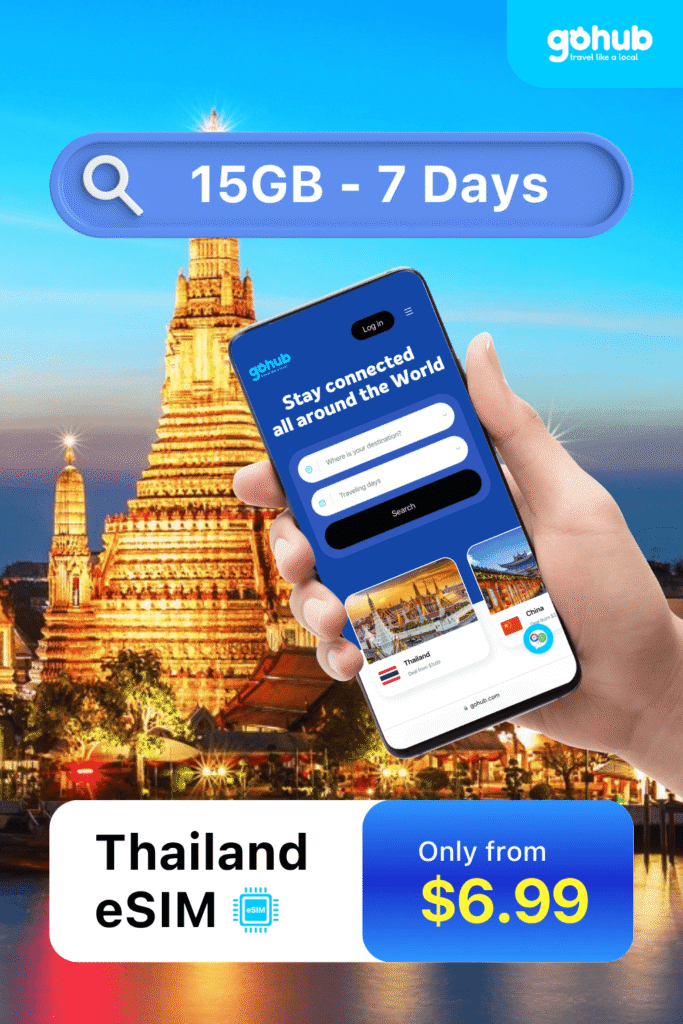
Plan your Thai adventure with GoHub – the Best Value eSIM for Thailand 🇹🇭 No roaming fees, instant activation, and blazing-fast internet across Bangkok, Phuket, Chiang Mai, and more. Stay connected, discover authentic Thai experiences, and travel smarter — all in one tap.

👉 No Wi-Fi stress. No SIM card hassle. Just pure Thai travel joy.

200k +
Happy Client
Success

Why Choose Gohub for Your Thailand Trip?

Forget roaming fees, SIM card lines, and unreliable hotel Wi-Fi. Gohub gives you seamless, high-speed internet across Thailand — from Bangkok’s bustling streets to the serene beaches of Phuket. Stay connected, confident, and fully immersed in your Thai adventure. 🌴📱

Ready to explore Thailand

UnforgettableThailand Adventures Await

Gohub isn’t just about internet—it’s about unlocking your best moments in Thailand. With one-tap eSIM activation, 24/7 support, and tips to hidden local spots, we help you skip the hassle and soak in the beauty. ✨ Whether you’re exploring Bangkok’s bustling streets, island-hopping in Phuket, or chasing sunsets in Krabi, Gohub’s got your back.

Top Rated eSIM Travel

for Your Next Adventure.

Loved by Travelers, Recommended Thailand

🌟 Why Thousands of Travelers Trust Gohub Thailand eSIM to Stay Connected

Hear how digital nomads, business execs, backpackers, and solo adventurers use Gohub Thailand eSIM to travel smarter, stay stress-free, and remain fully connected — from bustling Bangkok and serene Chiang Mai to the stunning beaches of Phuket and Koh Samui.

“My trip to Thailand was so much smoother with Gohub eSIM. Activation took minutes, and the 4G stayed strong from Bangkok to Chiang Mai. Video calls to my family were crystal clear — totally worth it!”

Emily Carter
Travel Blogger

“On a business trip in Bangkok, Gohub eSIM saved me from unstable hotel Wi-Fi. Every Zoom call was smooth, and setup was instant — just scan and go. It made working on the go completely stress-free, and I could stay connected everywhere from cafes to conference venues. Even when traveling between meetings in heavy traffic, the connection never dropped.”

David Miller
Marketing Specialist

“First solo trip abroad and I stayed connected from the airport to Phuket and Phi Phi. Gohub eSIM let me navigate, share photos, and call friends with no issues.”

Sophie Williams
University Student

“As a digital nomad, stable internet is a must. Two weeks in Chiang Mai and Krabi with Gohub eSIM — fast setup, solid connection, and great value.”

Oliver Brown
Freelance Designer

“Our family used Gohub eSIM for 5 days in Thailand. Kids could video call grandparents, and I found places to eat easily. Worked great everywhere.”

Sarah Johnson
Engineer

“Tried other eSIMs, but Gohub Thailand eSIM was the smoothest — fast, easy, and reliable even when livestreaming in busy spots.”

James Anderson
Photographer
0 +
Esim Countries
0 k+
Happy Travelers
0 %
Positive Reviews
0 +
Award Winning

Seamless Connectivity, Unforgettable Thailand.

At Gohub, we don’t just sell data—we power your adventures across the Land of Smiles. Whether you’re exploring Bangkok’s floating markets, chasing sunsets in Phuket, or trekking the mountains of Chiang Mai, our Thailand eSIM gives you instant internet, no roaming shock, and support that never sleeps.

With nationwide coverage, flexible data packs, and insider travel tips, Gohub makes sure you stay connected to what matters—everywhere in Thailand.

Thailand eSIM Experts

Our travel tech specialists ensure your mobile data just works—fast, simple, and stress-free from city streets to island getaways.

Transparent, Flexible Pricing

Pay only for what you need. No roaming fees. No tourist traps. Just pure value for your Thailand journey.

24/7 Multilingual Support

Lost in Bangkok? Need tips for Koh Samui? We’re always here. Chat with us anytime, anywhere.

Exclusive eSIM Discounts for Thailand Travelers

Stay connected across Thailand with Gohub eSIM — instant setup, 4G/5G nationwide, no roaming.Save 30% for a limited time! Perfect for trips, long stays, or remote work.

From $5.30 — start your trip today!

Still Have Questions? We’re Here to Help! Contact Us

Everything You Need to Know Before Get Your eSIM

What is eSIM? Which phones can use eSIM?

An eSIM (embedded SIM) is an industry-standard digital SIM that can be activated by simply scanning a QR code or through your device’s settings.

Check the full list of devices supporting eSIM here

– For iPhone: Please note that the iPhone in use must be an international version.

Go to Settings > Cellular. If you see options like Add Cellular Plan/Add eSIM/Add Mobile Plan, it means your iPhone supports eSIM.

– For Android: Please ensure that your device is an international version.

Go to Settings > Connections > SIM Card Management. If you see an option like Add Mobile Plan, your device supports eSIM.

Alternatively, you can check in detail via the link provided.

If none of the above options work, please contact Gohub’s Customer Support through the hotline at +1 (302) 899-2888 or through WhatsApp. or visit the Gohub homepage.

Data roaming allows your SIM/eSIM to switch to another carrier’s internet network. When you arrive at your destination country, enable data roaming to ensure the SIM/eSIM connects to the correct carrier and functions properly.

For single-SIM iPhones:

Go to Settings > Cellular > Cellular Data Options > Roaming > Enable

For dual-SIM iPhones:

Go to Settings > Cellular > Select the corresponding eSIM > Roaming > Enable

For Android:

Go to Settings > Connections > Mobile Networks > Roaming > Enable Alternatively: Settings > SIM Card & Mobile Networks > Roaming > Enable

Installing an eSIM on iOS Devices

Step 1: Go to Settings > Cellular.

Step 2: Select Add eSIM or Add Cellular Plan.

Step 3: Choose Use QR Code.

Step 4: Scan the QR code sent by Gohub via email. If you cannot scan the QR code with your device, select Enter code manually and copy the code from the email. Alternatively, choose Open image to upload a screenshot of the QR code (available for iOS 17 and later).

Step 5: Tap Next and complete the setup process.

Step 6: When you arrive in the country where you need to use the eSIM, turn on Data Roaming and Cellular Data to access the network.

Installing an eSIM on Android Devices

Step 1: Go to Settings > Connections.

Step 2: Select SIM Management.

Step 3: Choose Add Mobile Plan.

Step 4: Select Scan Carrier QR Code.

Step 5: Scan the QR code sent by Gohub via email. If you’re unable to scan the code, select Enter code manually and copy it from the email. Alternatively, you can upload a screenshot of the QR code (available for Samsung Galaxy S20, newer Samsung models, and some other Android devices).

Step 6: Tap Next and complete the setup process.

Step 7: When you arrive in the country where you need to use the eSIM, turn on Data Roaming and Cellular Data to access the network.

Note: Do not turn on Data Roaming before arriving at your destination.

Important: The validity period of the eSIM will start from the time you install it on your device.

iOS: This may be an APN issue. Go to Settings > Cellular > Select your SIM > Cellular Data Network and enter the APN information provided in the eSIM Information section at the top of your email.

Android: This may also be an APN issue. Go to Settings > Connections > Mobile Networks > Access Points > Add and enter the APN information provided in the eSIM Information section at the top of your email.

Note: If the issue persists, please contact us via hotline at +84 32 604 6768 or through WhatsApp. for support.

Yes, we provide 24/7 assistance to ensure you have a seamless and stress-free journey.

How does eSIM work?

Enjoy the convenience and freedom of staying connected without the hassle of swapping physical SIM cards. Simply scan a QR code, activate your plan in minutes, and get instant access to high-speed data — anytime, anywhere. No more searching for SIM shops or dealing with tiny plastic cards.

Check Device Compatibility

Make sure your smartphone, tablet, or wearable supports eSIM before you travel.

Purchase Your Plan Online

Choose the data package that fits your trip and complete your purchase in just 2 minutes.

Activate with a QR Code

Scan the QR code we send to your email, and your eSIM will be ready to use instantly.

Enjoy Seamless Connectivity

Stay connected with fast 4G/5G across Thailand — no physical SIM, no roaming hassles.

Latest Travel Insights & Expert Tips

How to Use eSIM in Thailand for Google, Facebook, and WhatsApp Access

How to Use eSIM in Thailand for Google, Facebook, and WhatsApp Access

Thailand is known for its friendly atmosphere, tropical beaches, and bustling cities — and unlike some…


eSIM vs Pocket WiFi in Thailand – Pros and Cons for Travelers

eSIM vs Pocket WiFi in Thailand – Pros and Cons for Travelers

When planning your trip to Thailand, one important decision is how to stay connected. Two of…

Where to Buy SIM Card in Bangkok, Phuket, and Chiang Mai (2025 Update)

Where to Buy SIM Card in Bangkok, Phuket, and Chiang Mai (2025 Update)

Thailand is one of the most visited countries in the world, and staying connected here is…